
dsigns guides · Create content
Import PDF and PowerPoint
Turn document pages into a reusable slideshow.
Choose your document
Open Media → Add content → Import PDF / PowerPoint, choose the customer when shown, then select a PDF, PPT or PPTX file under 50 MB. Keep this tab open while it prepares the pages. The first PowerPoint import downloads the conversion engine; later imports can use its browser cache.
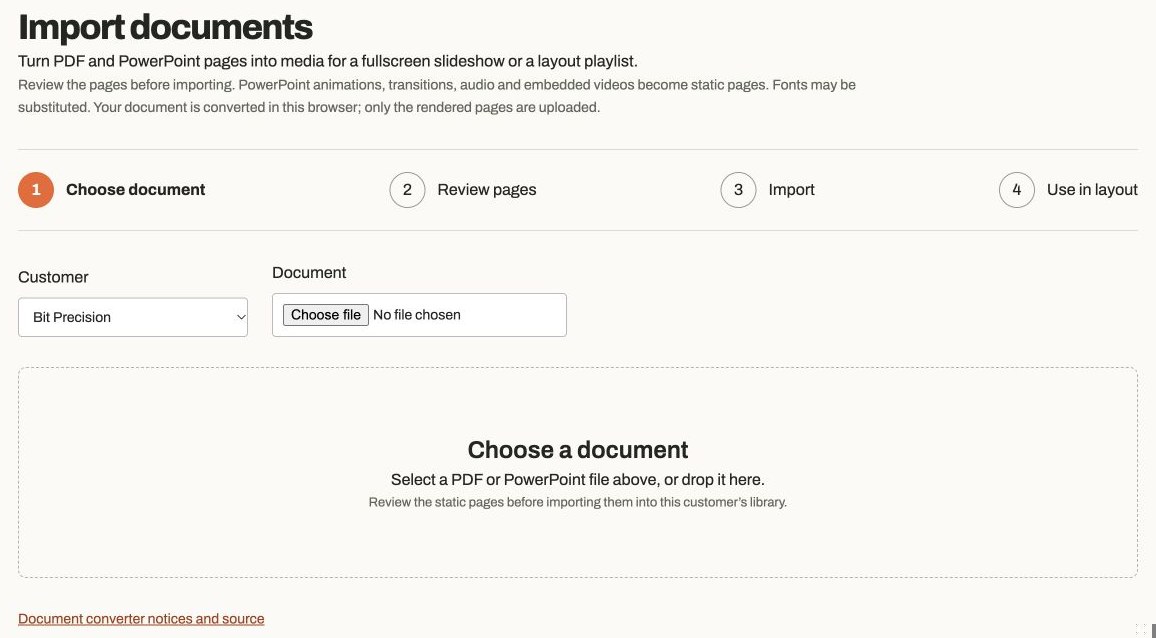
Actual app controlsChoose a document, then review its rendered pages before importing. Review the pages
Check the rendered pages and deselect any you do not need. You can import up to 100 pages at once. PowerPoint animations, transitions, audio and embedded video become static pages, and fonts may be substituted. Export a PDF from PowerPoint if the rendering differs from your original.
Save a reusable playlist
Set a name and seconds per page, leave Create a reusable playlist selected, then choose Import selected pages. The original document is converted in your browser; only the rendered images are uploaded.
Use it on a screen
Choose the new playlist for a fullscreen screen assignment, or add it to a Content widget in a layout. Save and publish the affected player. The imported pages are images, so a fullscreen document slideshow can use the existing player. Layout composition needs a layout-capable player.